First-Time User Registration Guide
Welcome! If you’re new here, signing up is quick and simple. Follow this step‑by‑step guide to get started:
Step 1 – Register an Account
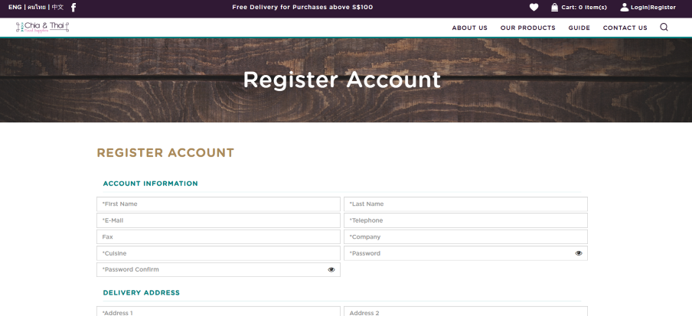
Click the Register button at the top right corner of the homepage. This will take you to the registration form.

Step 2 – Complete the Form
Fill in all required fields (marked with an asterisk *). These details are mandatory to create your account.
Step 3 – Request a Quotation
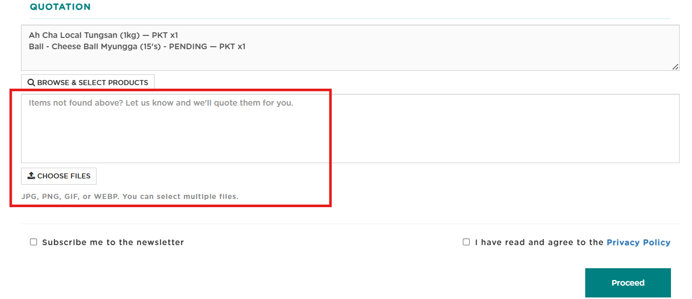
At the bottom of the registration form, you will see an option to request a quotation for your team.
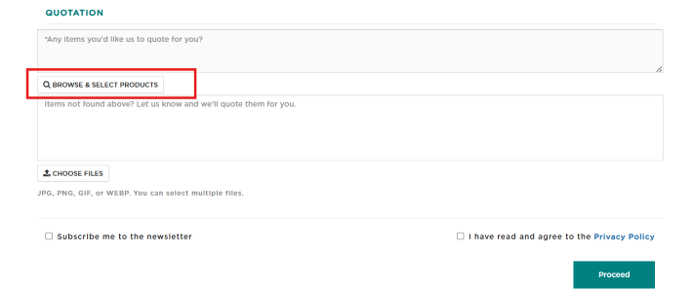
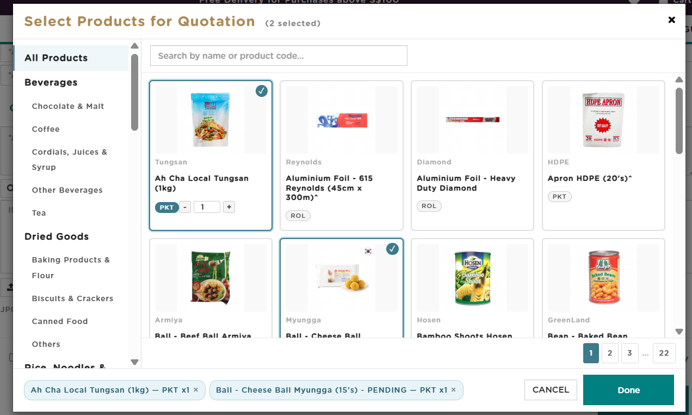
Clicking this will open a pop‑up window where you can browse our range of products.
-
If a product you need is not listed, simply enter its name or specifications.
-
You can also attach a reference image using the “Choose File” option to help our team identify the product.
Step 4 – Submit Your Registration
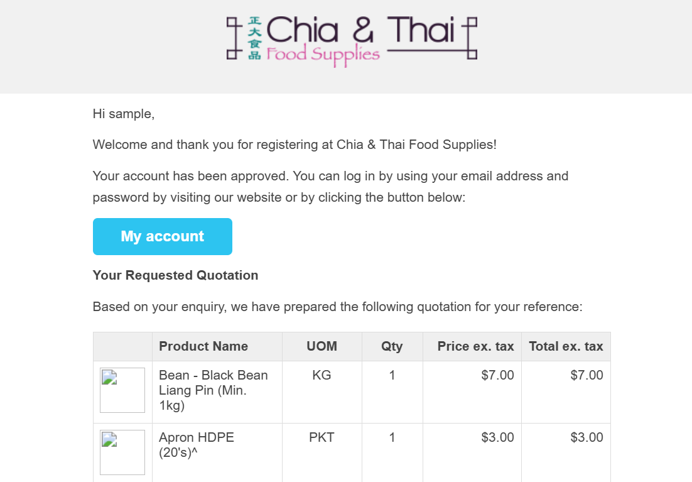
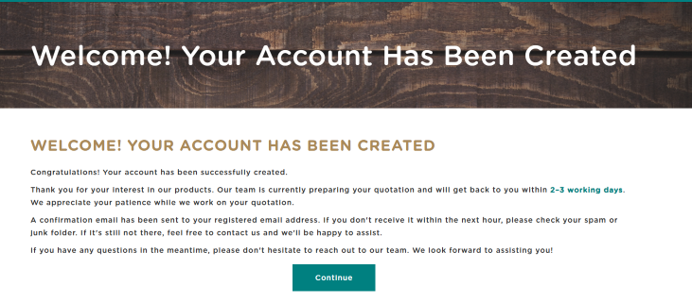
Once you have finalised your details and selected your products, submit the form. You will receive a notification together with an email confirming that your account has been created.
Step 5 – Email Confirmation
A confirmation email will be sent to you with an example of your account details.
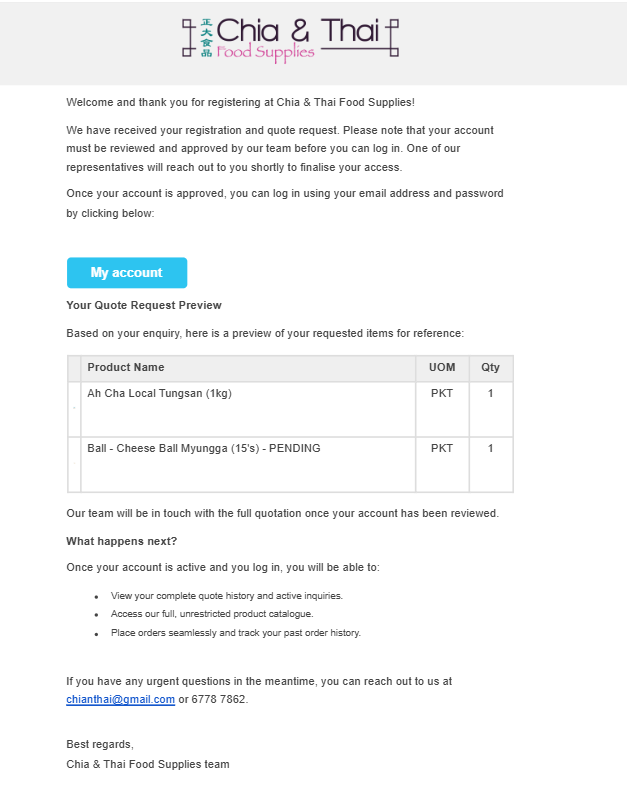
After our team reviews and approves your account, you will receive another email with the quotation for the products you requested.